
 Trello + Voice In
How to Dictate in Trello
Use your voice to write in Trello instead of typing everything by hand. Voice In converts your speech into editable text directly in the browser, and the text stays editable until you send it.
Needs Voice In Plus. Trello uses a custom text editor, so dictation here requires Voice In Plus Advanced Mode. The free version covers standard text fields on most other sites.
- Chrome & Edge
- Real-time speech to text
- 50+ languages
- Video demo
Last updated October 23, 2026
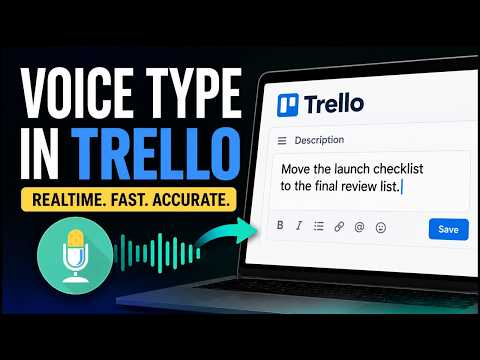
Watch Voice In dictate in Trello (0:55)
Does dictation work in Trello?
Yes, with Voice In Plus. Trello uses a custom editor, and Plus Advanced Mode lets Voice In type into it. Your words appear in the field you selected and stay editable until you save or send.
Where it works in Trello
- Card titles and descriptions
- Comments and checklist items
- Board and list names
What you can do with Voice In
Draft longer text with less keyboard use, switch between more than 50 languages, and add punctuation and line breaks with voice commands. Voice In transcribes speech inside your browser, so nothing you dictate in Trello is sent to or stored on Voice In servers.
The free version works in standard text fields. Voice In Plus adds Advanced Mode for custom editors, custom voice commands and text replacements, and unlimited dictation.
How to use dictation in Trello
-
1
Install Voice In
Add the free Voice In extension to Chrome or Edge and activate Plus Advanced Mode.
-
2
Open Trello
Go to card titles and descriptions or any other place where you would normally type.
-
3
Click a text field
Click where you would normally type so the text cursor is active.
-
4
Start dictating
Click the Voice In icon or press the keyboard shortcut, then speak. Say “period” or “new line” for punctuation.
-
5
Review and send
Check names and specialized terms, make any edits, and submit the finished text.
Why use Voice In with Trello?
Works in place
Speech to text goes straight into Trello fields without copying between tools.
Private by design
Speech is transcribed in your browser. Voice In never stores your audio or text.
Multilingual
Dictate in more than 50 languages and 100 dialects, and switch with one click.
Voice commands
Add punctuation, line breaks and custom snippets with built-in commands.
Trello dictation FAQ
More in the help center
Do I need Voice In Plus to dictate in Trello?
Yes. Trello uses a custom text editor, so it needs Voice In Plus Advanced Mode. Plus also adds custom voice commands, text replacements and unlimited dictation time.
How do I turn on dictation in Trello?
Install Voice In from the Chrome Web Store, open Trello, click a text field, then click the Voice In icon or press the keyboard shortcut and start speaking. The text appears as you talk.
Can Voice In create tasks with voice commands?
Voice In types text where your cursor is. Create the task as usual, then dictate the title and description instead of typing them.
Does it work in rich text description editors?
Yes in most cases. Some custom editors require Voice In Plus Advanced Mode, which is noted on the individual app page.
Which browsers and computers support Voice In?
Voice In works in Google Chrome and Microsoft Edge on Windows, macOS, Linux and Chromebooks.
More project management & productivity apps
All project management & productivity appsPopular apps for dictation
All supported appsReady to voice type?
Get started with voice typing effortlessly. 3x your writing now.
 Add to Chrome, it’s free